
Windows Server 2012 R2系统下安装用友u8+10.1提示“PkgMgr.exe has been deprecated. peration failed with 0x8007000B试图加载格式不正确的程序。”的说明

[重要通告]如您遇疑难杂症,本站支持知识付费业务,扫右边二维码加博主微信,可节省您宝贵时间哦!
今天有网友想在Windows Server 2012 R2系统下安装用友u8+10.1,这环境是没问题,但在操作的时候提示
Note: PkgMgr.exe has been deprecated. Please update your
scripts to
use DISM.exe to install, uninstall, configure, and update features
and packages for Windows.
See http://go.microsoft.com/fwlink/?LinkID=195329 for more
information.
Operation failed with 0x8007000B 试图加载格式不正确的程序。
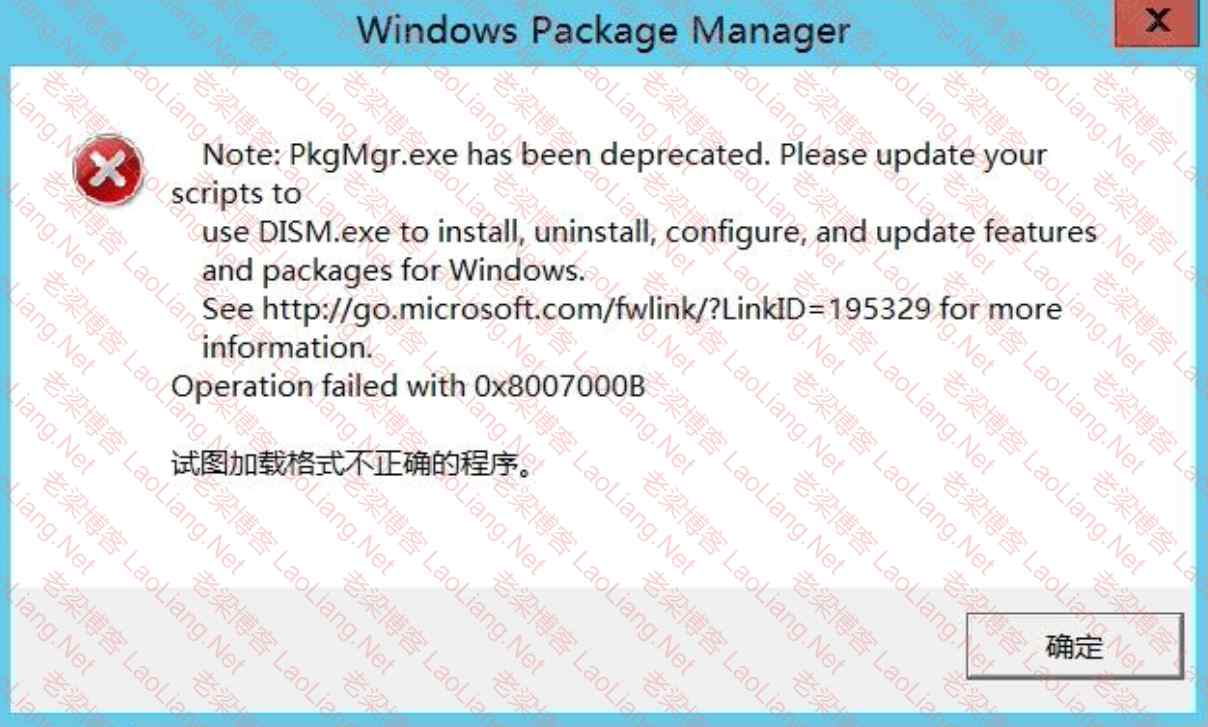
Windows Server 2012 R2系统下安装用友u8+10.1提示“PkgMgr.exe has been deprecated. peration failed with 0x8007000B试图加载格式不正确的程序。”的说明
其实出现peration failed with 0x8007000B试图加载格式不正确的程序这个问题,不是啥大问题,可以忽略不计,在给出的链接里是有说明的,
http://go.microsoft.com/fwlink/?LinkID=195329
Applies To: Windows 8, Windows 8.1, Windows Server 2012, Windows Server 2012 R2
Deployment Image Servicing and Management (DISM) is a command-line tool that is used to mount and service Windows® images before deployment. You can use DISM image management commands to mount and get information about Windows image (.wim) files or virtual hard disks (VHD). You can also use DISM to capture, split, and otherwise manage .wim files.
The ImageX tool is deprecated in Windows 8 and has been replaced with DISM for image management.
You can also use DISM to install, uninstall, configure, and update Windows features, packages, drivers, and international settings in a .wim file or VHD using the DISM servicing commands.
DISM commands are used on offline images, but subsets of the DISM commands are also available for servicing a running operating system.
DISM is installed with Windows 8.1, and it is also distributed in the Windows Assessment and Deployment Kit (Windows ADK). It can be used to service Windows 8.1, Windows 8, Windows Server 2012 R2, Windows Server® 2012, Windows 7, Windows Server 2008 R2, Windows Vista, Windows Server 2008, Windows Preinstallation Environment (Windows PE) 4.0, or Windows PE 3.0 images. DISM replaces several deployment tools, including PEimg, Intlcfg, ImageX, and Package Manager.
翻过过来就是
适用于:Windows 8,Windows 8.1,Windows Server 2012,Windows Server 2012 R2
部署映像服务和管理 (DISM) 是一个命令行工具,用于在部署前挂载和处理 Windows® 映像。您可以使用 DISM 图像管理命令挂载和获取有关 Windows 映像 (.wim) 文件或虚拟硬盘 (VHD) 的信息。您还可以使用 DISM 来捕获、拆分和管理 .wim 文件。
ImageX工具在Windows 8中已不再使用,并已被DISM取代以进行映像管理。
您还可以使用 DISM 通过 DISM 服务命令来安装、卸载、配置和更新 .wim 文件或 VHD 中的 Windows 功能、包、驱动程序和国际设置。
DISM 命令用于离线映像,但也有部分 DISM 命令可以用于维护正在运行的操作系统。
DISM 随 Windows 8.1 一起安装,并且也包含在 Windows 部署工具包 (Windows ADK) 中。它可以用于服务 Windows 8.1、Windows 8、Windows Server 2012 R2、Windows Server® 2012、Windows 7、Windows Server 2008 R2、Windows Vista、Windows Server 2008、Windows 预安装环境 (Windows PE) 4.0 或 Windows PE 3.0 映像。DISM 替代了几个部署工具,包括 PEimg、Intlcfg、ImageX 和 Package Manager。
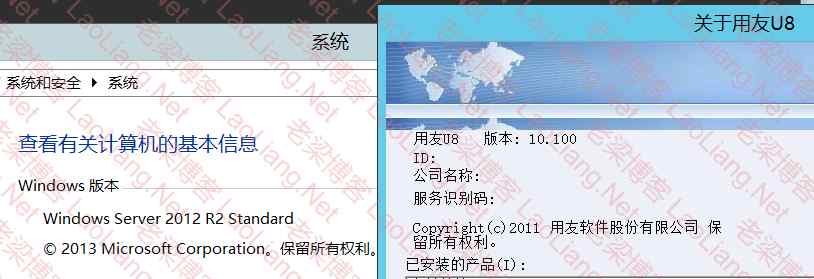
这个正常错误正常是在IIS部署中出现的问题,可以忽略不计,但正常打开非IIS的东西就是正常的,如下图所示
问题未解决?付费解决问题加Q或微信 2589053300 (即Q号又微信号)右上方扫一扫可加博主微信
所写所说,是心之所感,思之所悟,行之所得;文当无敷衍,落笔求简洁。 以所舍,求所获;有所依,方所成!
 支付宝赞助
支付宝赞助 微信赞助
微信赞助免责声明,若由于商用引起版权纠纷,一切责任均由使用者承担。
您必须遵守我们的协议,如您下载该资源,行为将被视为对《免责声明》全部内容的认可->联系老梁投诉资源


